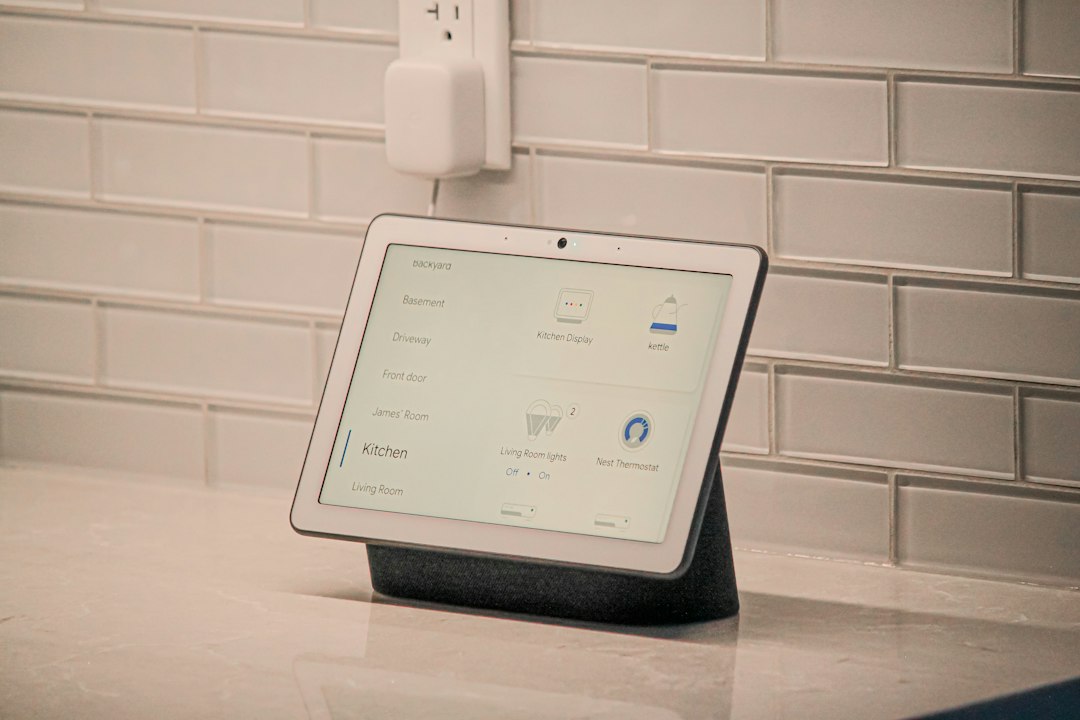
Direct answer: The warning “This entity is no longer being provided by the integration” means Home Assistant still has an entity-registry record, but the integration that created it did not create a matching live entity during the current startup or reload. Do not delete it immediately. First determine whether it is a truly retired entity, a renamed or duplicated replacement, an integration that failed to load, or—especially with MQTT—a discovery message that was not republished.
Quick diagnostic box
- One old entity, replacement works: update dashboards and automations, then remove the orphan only after verification.
- Many entities from one integration: troubleshoot that integration before deleting anything.
- MQTT or Zigbee2MQTT entities after a restart: verify broker connection and discovery/config messages.
- New entity ends in
_2: compare unique IDs and entity history before renaming or deleting.
Safest first move: make a backup, record the old and new entity IDs, and check whether the integration is loaded. Deletion is cleanup—not a repair.
What the warning actually tells you
Home Assistant separates an entity’s saved registry record from the live entity object supplied by an integration. The registry keeps details such as the entity ID, unique ID, device association, name, and whether the entity was disabled. If the saved record exists but no current entity backs it, Home Assistant can show the record as no longer provided.
This is different from an ordinary unavailable state. An unavailable entity may still be actively supplied by its integration even though the device or service cannot currently report a state. “No longer being provided” points to the relationship between the registry and the integration’s present setup.
Ranked causes
1. The integration renamed, replaced, or stopped creating the entity
An update, device firmware change, configuration change, or integration migration can alter which entities are created. The old registry record remains because deleting it automatically could break dashboards, history references, scripts, scenes, and automations. A replacement may appear under a new entity ID or device entry.
2. The integration failed to finish setup
If several entities from the same integration show the warning at once, the problem is unlikely to be dozens of independent entity failures. Check Settings → Devices & services for setup, authentication, dependency, or communication errors. Then inspect logs from the time Home Assistant started or the integration was reloaded.
3. MQTT discovery was not replayed
MQTT-discovered entities require valid discovery configuration. Home Assistant’s MQTT documentation explains that after a restart, discovered items with a unique ID can remain unavailable until discovery messages are received again. Publishers commonly solve this with retained discovery configuration or by republishing configuration after Home Assistant’s birth message. An empty discovery payload can also remove a previously discovered device.
Do not purge retained topics blindly. Retained messages can restore entities, but stale retained discovery can also recreate ghost entities. Identify the exact discovery topic and current payload first.
4. The device or integration created a duplicate unique identity
A replacement entity ending in _2 is a clue, not proof. Compare the integration, device, unique ID, state updates, and history. The working replacement may have been created because a device identifier, discovery topic, MAC address format, or integration entry changed. Renaming it prematurely can hide the evidence.
5. The entity is disabled, deprecated, or intentionally removed
Some integrations disable less-used entities by default, and integrations can retire entities when capabilities change. A disabled entity is not loaded into Home Assistant. Confirm whether the entity is marked disabled, deprecated, diagnostic-only, or no longer supported before treating it as broken.
Safest diagnostic sequence
Step 1: Preserve references
Create a current Home Assistant backup. Record the warning, entity ID, integration, device, unique ID if visible, last-updated time, and any apparent replacement entity. Search dashboards, automations, scripts, scenes, templates, and helpers for the old entity ID. Do not expose tokens, passwords, broker credentials, network keys, or unredacted backups.
Step 2: Decide whether the integration is healthy
Open the integration page and check whether other entities from the same integration still update. If many fail together, stay at the integration layer: authentication, connectivity, configuration entry, dependency, or startup error. If only one registry record is affected while its siblings work, compare that entity with the device’s current capabilities and replacement entities.
Step 3: Check the first meaningful log entry
Restarting repeatedly can bury the useful evidence. Reproduce the problem once, note the time, and read the first related warning or error—not only later consequences. Separate setup failures, authentication failures, timeouts, invalid configuration, missing dependencies, and device-discovery changes.
Step 4: For MQTT, prove the discovery path
Confirm that the MQTT integration is connected to the intended broker. Verify that the publisher—such as Zigbee2MQTT or another bridge—is online and publishing current discovery configuration after Home Assistant starts. Compare the affected entity’s discovery topic and unique ID with a working entity. Do not publish test payloads to production topics unless you have a broker backup and understand the publisher’s discovery format.
If your symptom began after a restart, also use the MQTT entities unavailable after restart guide. If the entity repeatedly changes between available and unavailable rather than showing “not provided,” use the MQTT availability flapping diagnostic.
Step 5: Compare old and replacement entities
Place the old and new entity IDs side by side. Confirm which one receives fresh states and controls the physical device. Compare device association, integration entry, unit, device class, and unique ID. Update one low-risk dashboard card first and verify it through a normal state change. Then update automations and templates carefully.
If many duplicates appeared after an update, follow the duplicate-device repair guide before merging or deleting records.
Step 6: Reload only when evidence supports it
If the integration is otherwise healthy and supports reload, one controlled reload can show whether the entity is recreated. For an authentication problem, use Reauthenticate or Reconfigure where offered. Restart Home Assistant only when the logs or integration instructions justify it. Do not remove and re-add an entire integration to repair one orphaned record unless you have documented the downstream impact.
When it is safe to delete the old entity
Delete the registry record only when all of these are true:
- the integration and device are healthy;
- the old entity has a confirmed working replacement or is intentionally retired;
- dashboards, automations, scripts, scenes, templates, and helpers no longer reference it;
- you have preserved any history or identifier information you still need; and
- a current backup exists.
After deletion, restart only if the integration’s documentation calls for it. If the entity returns, the source is still advertising or creating it. That is evidence to inspect discovery or integration configuration—not a reason to delete it repeatedly.
Verification checklist
- The integration loads without a repeating setup error.
- The intended entity receives a fresh state after a real device change.
- A harmless command works, when the entity is controllable.
- No automation or dashboard still points to the orphaned ID.
- The result survives an ordinary integration reload or planned Home Assistant restart.
- No duplicate device or
_2entity reappears.
Prevention
- Back up before Home Assistant, integration, broker, or bridge migrations.
- Document entity IDs used by critical automations.
- For MQTT publishers, follow Home Assistant’s discovery, birth-message, and retained-message guidance.
- Change one identity-related setting at a time and verify after each change.
- Review release notes before updates that migrate device or entity registries.
FAQ
Is “not provided” the same as “unavailable”?
No. Unavailable can mean a live entity cannot currently obtain a state. “No longer being provided” means the saved registry entry is not backed by a live entity from its integration.
Will deleting the entity fix the integration?
No. Deletion removes the orphaned registry record. It does not repair authentication, MQTT discovery, a failed setup, or device connectivity.
Why did a second entity appear with _2?
Home Assistant encountered an entity-ID collision or a new unique identity. Compare old and new records before renaming either one.
Should I remove and re-add the integration?
Usually not as a first step. Re-adding can change identifiers and break references. Diagnose setup, authentication, discovery, and replacement entities first.
Primary sources
- Home Assistant: state and state objects
- Home Assistant developer architecture: devices, services, and entity registry
- Home Assistant MQTT discovery and availability documentation
- Home Assistant configuration troubleshooting
Reviewed against official documentation on September 30, 2026.